Uset
Jump to navigation
Jump to search
#!Uset is the command used to display your current user settings and for setting your user variables.
Command Format: #!uset <variable> <value>
Cooldown: 10 seconds
| Variable | Value | Description | Level Req |
|---|---|---|---|
| nick | 0-3 | Sets your nickname to show your level and guild tag. | |
| battles | 0/1 | Sets your battle requests to open or close. | |
| display | 1/2 | Changes your #!stats display. | 20 |
| displayColor | HEX color | Changes your display 2 color. | 45 |
| tradeDisplay | 1/2 | Changes your #!gminfo trade display. | |
| achievementDisplay | 1/2 | Changes the display for viewing achievements, i.e #!achievement dummy achievement | |
| adventureEmbed | 1-3 | Changes your #!adv display. | 20 |
| reactPaging | 1/2 | Sets your react paging to on or off. | |
| healitem | item name | Changes your #!heal item. | |
| inventorySort | default
amount Ascending/Descending itemName Ascending/Descending itemType Ascending/Descending itemLevel Ascending/Descending |
Changes your inventory sorting to your preference. | |
| marketDM | on/off/complete | Sets your market trade DMs to on, off, or when trade is complete. | |
| goldDonationNotification | on/off | Sets your gold donation DMs to on or off. | |
| itemDonationNotification | on/off | Sets your item donation DMs to on or off. |
Further Information on certain settings is shown below.
Nickname Settings
- Nick value "0" removes this setting.
- Nick values "1-3" looks like the following:
- [guildtag] Name [Lvl. 1]
- guildtag | Name Lv1
- guildtag | Name [Lvl. 1]
- To update your nickname level you must type
#!stats
Battles Settings
#!uset battles 1turns your battles on, while#!uset battles 2turns your battles off.- Read more about battling here.
Display Settings
#!uset display 1is the default #!stats display.#!uset display 2gives a modern embedded display to your#!stats
#!uset displayColor <HEX>changes the color of the border when using display 2.
Note: This command does not change the border color on modern display of trades, achievements, or items.
#!uset tradeDisplay 1is the old display for #!item.#!uset tradeDisplay 2gives a modern embedded display to your #!gminfo command and is highly recommended to use.#!uset achievementDisplay 1is the default #!achievement display.#!uset achievementDisplay 2gives a modern embedded display to your #!achievement command. Using display 2 also tells you what you need to do to get that achievement.
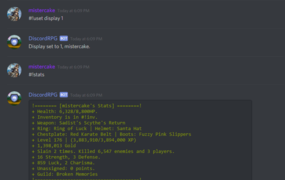
Stats Display 1
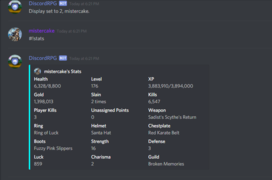
Stats Display 2
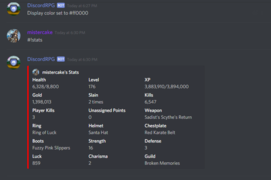
Stats Color
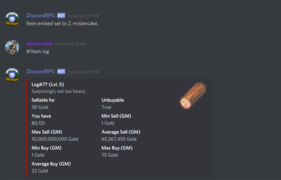
Items Display 2
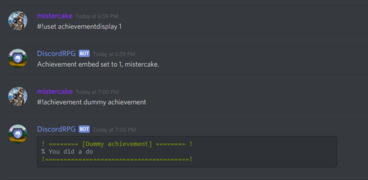
Achievement Display 1
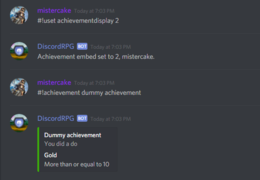
Achievement Display 2


Adventure Embed Settings
#!uset adventureEmbed 1is the default display for your #!adv.#!uset adventureEmbed 2gives a modern embedded display your #!adv command.#!uset adventureEmbed 3is the newest display showing your #!adv command information in percentages (%).
React Paging Settings
#!uset reactPaging 1turns on reactions to turn pages on different commands and is highly recommended to use.#!uset reactPaging 2turns it off.
Heal Item Settings
#!uset healitem <item>is used to change the item used when doing the #!heal command. It is highly recommended to keep your healing item as the default Health Potion.
Inventory Sorting
#!uset inventorySort defaultsets your #!inv sorting to the default sorting, which is by item ID, oldest to newest.#!uset inventorySort amount ascending/descendingsets your #!inv sorting to depend on the amount of each item you have in an ascending/descending order.#!uset inventorySort itemName ascending/descendingsets your #!inv sorting to alphabetical, either from A-Z or Z-A.#!uset inventorySort itemType ascending/descendingsets your #!inv sorting to depend on the item type, either from A-Z or Z-A.#!uset inventorySort itemLevel ascending/descendingsets your #!inv sorting to depend on the item level in an ascending/descending order.